


Momo: AI Photo & Video Maker
4.43.70K Reviews
App Specs
- Version
- 2.10.0
- Updated On
- License
- Free
- Downloads
- 5,000,000+
- Developer
- ScaleUp
- Categories
- Photography
- Platform
- Android, iOS
Screenshots
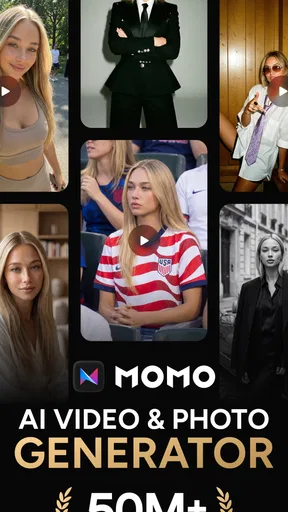
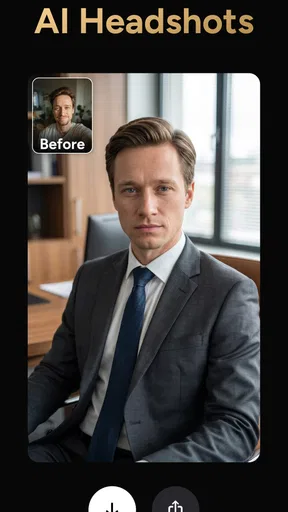
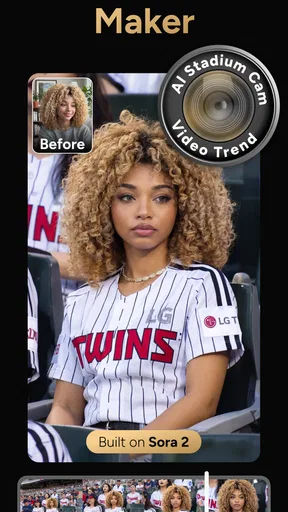
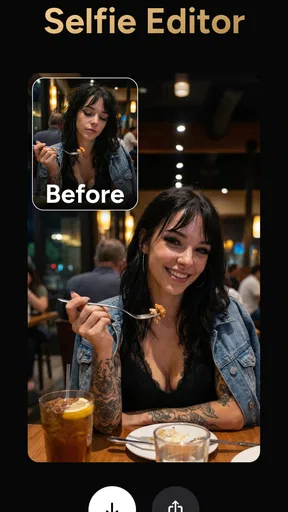
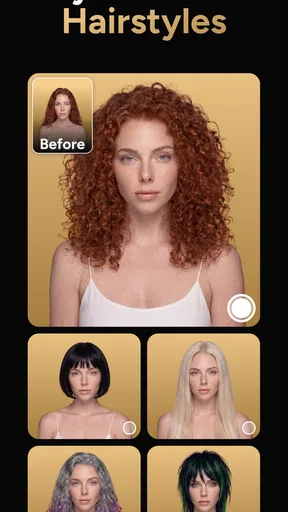
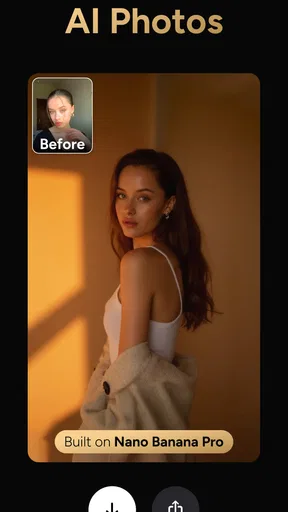
 Analysis by AppCompare
I’m drawn to photo apps that let me make something personal without turning a quick edit into a technical project. Momo is aimed at that kind of casual creativity: it takes a photo-based starting point and focuses on AI-generated transformations, including looks suited to portraits and profile pictures. That makes it interesting for a household or group of friends who share ideas and want to make playful images, though I’d treat it as an individual creative tool rather than assume it has shared accounts or family controls.
A shared phone can turn editing into a group activity
Picture an ordinary evening when someone needs a more polished profile image and another person wants to see how a favorite snapshot looks with a different treatment. Momo can be a convenient place to try those ideas using photos from the camera or gallery. I’d make the person in each picture part of the decision: ask before selecting their image, and let them review the result before anyone shares it. That simple habit matters more than the effect itself when several people use one device.
The app’s creative direction makes it more suited to experimenting with portraits than to managing a whole family photo library. I would use it for a single image with a clear purpose—a profile picture, a fun keepsake, or a more polished-looking headshot—rather than expect it to organize everyone’s pictures or replace a general gallery editor. Keeping the task focused also makes it easier to compare a generated result with the original and decide whether the change still looks like the person.
Keep photo choices and purchases deliberate
Before handing over a shared phone, I’d agree on which photo is okay to edit and who gets to save or post the finished version. This is especially useful for a work profile image or a picture of someone who is not present. A generated portrait can look more formal or stylized than the source, so I wouldn’t use it to suggest that a person attended an event, wore something they did not, or posed in a setting that never happened.
Momo is free to install, with in-app purchases ranging from $3.99 to $39.99 per item. On a shared device, I’d check the purchase prompt before confirming anything and avoid treating an attractive effect as a reason to buy immediately. If the basic experience already does what you need, there is no need to turn a casual photo session into a spending decision. If someone else manages the device or its store account, ask first rather than assuming an edit is included at no cost.
Good coordination matters more than a shared workflow
I’d approach a shared-device session as a small handoff: choose a photo, make one person responsible for trying the edits, then let the person pictured approve the final choice. That prevents a well-meant joke or dramatic transformation from becoming an unwanted profile image. It also avoids confusion about which version is the original, especially if several people are taking turns. Keeping the source image intact in the gallery gives everyone a straightforward way back if a generated look is not right.
For a household that wants to make a coordinated set of portraits, I’d agree on the purpose and visual direction before editing each person separately. A casual social profile can tolerate more playful choices than a professional page, where a natural, recognizable result is usually safer. Momo may help explore different presentations, but it is still worth checking that each portrait feels consistent with the person and with the context where it will appear.
Worth Reading Before You Choose

Flipboard Shows What News Apps Must Do Beyond the Feed

Switching to Android Auto Means Rethinking Your Driving Routine

Google Calendar Makes a Crowded Week Easier to Manage

Ludo King Makes the Most of the Minutes Between Plans

Baby Panda World Brings Quick Play to Modern Phones, but Its Game Library Feels Busy

ESPN’s Live Game View Makes Following Close Games Easier
Age context and trust
The app has an Everyone content rating, so it is broadly presented for general audiences. That does not replace adult judgement about which photos a child should use or share. I’d keep a parent or responsible adult involved when younger family members are choosing portraits, and I’d explain that an AI-styled image is an edited interpretation rather than a faithful record of the original scene. The useful boundary is not to make ordinary creativity feel alarming, but to teach children to pause before sharing a face or personal image publicly.
ScaleUp develops Momo, and its photography focus is reflected in the kinds of tasks it is meant to serve: making portraits and other personal images more expressive. The app has a 4.4 average from around 317,000 ratings, and it has passed 5 million installs. Those figures suggest it has attracted a substantial audience, but they don’t tell me whether a particular generated style will suit your taste. I’d judge it with a photo you are comfortable experimenting on, rather than treating popularity as a promise of a perfect result.
Who will enjoy it, and who may prefer another editor
I think Momo makes the most sense for people who want an easy way to explore AI-led portrait treatments, profile-picture ideas, or playful changes to a familiar image. It is also approachable for a quick shared activity, provided everyone agrees on the photo and the result. Someone who mainly wants precise control over exposure, color, cropping, and retouching may be happier with a conventional photo editor. Those apps tend to make the editing choices more explicit, while AI transformations can be less predictable and may change details that matter to you.
It is also not my first choice when authenticity is the priority. For a passport-style image, a formal record, or a professional portrait where accuracy matters, I’d use an unaltered photo or a dedicated camera workflow and check the relevant requirements. For a one-off creative profile image, though, Momo offers a lower-friction way to test a different look before deciding whether it feels right.
Small choices that improve the result
For a more useful comparison, I’d start with a clear, well-lit portrait where the face is easy to see, then keep the original nearby while trying a treatment. This is not a guarantee that an AI result will look natural; it simply gives the app a cleaner starting point and makes it easier to notice when an effect changes the expression or identity too much. I’d avoid judging a style from a tiny preview alone if the final image will be used as a profile picture.
I’d also test one purpose at a time. A business-style headshot and a playful social image ask for different things: the first should remain recognizable and restrained, while the second can support more obvious creative changes. If the app offers a result that feels too polished or unlike the person, I’d move on rather than keep adjusting until the photo loses its character. The practical benefit is not just a striking effect; it is finding a version you are comfortable showing to other people.
One question people often have is whether they need photography skills to get started. In my experience, the app’s simple approach is aimed at making experimentation accessible, so basic comfort choosing a photo is enough to begin. Another is whether it replaces a full editor. I wouldn’t count on it for detailed manual correction: its appeal is AI-driven transformation, while conventional editors are stronger when you want to adjust individual image properties with precision.
People may also wonder whether a generated portrait is suitable for work. I’d treat that as a case-by-case choice: it can be useful for exploring a polished direction, but review the output carefully and use a natural, accurate image where your workplace or professional context expects one. And if several people use the same phone, the safest assumption is that each person should supervise their own photo choices and any purchase decisions, rather than expecting the app to separate household users automatically.
Version 2.8.7 is the current version, and it requires Android 7.0 or later. The app is free, though optional in-app items cost between $3.99 and $39.99. I’d check the available options in the app before planning a particular editing session, especially if a specific style is the reason you are installing it. The price range makes it worth being attentive to purchase prompts on a shared device, rather than tapping through quickly.
Scrolling endlessly through the app store, I stumbled upon something that piqued my interest: Momo - AI Photo Generator. As someone who's always on the lookout for the latest in photo editing apps, I had to give this one a shot. If you're a fan of turning your everyday snapshots into something extraordinary, stick around as I dive into what makes Momo tick.
First Impressions
Opening up Momo - AI Photo Generator for the first time, I was greeted by a sleek and user-friendly interface. The app doesn't bombard you with complicated menus or endless tutorials, which is a relief when all you want to do is jump in and start creating. The minimalist design is a breath of fresh air, making it super easy to navigate even if you're not a tech wizard.
Getting Started
Once you've got the app up and running, you can either snap a new photo or select one from your gallery. I decided to go with a picture of my dog. Why not? The app seamlessly uploads your photo and takes you to the main editing screen. This is where the magic happens.
With a tap, you can apply various AI-generated effects that range from subtle enhancements to downright artistic transformations. The app uses cutting-edge AI technology to analyze your photo and suggest styles that fit best. And trust me, the results are pretty impressive.
Features Galore
What sets Momo apart from other photo editing apps is its robust feature set. Here's a quick rundown of what you can expect:
- Real-time AI Filters: These aren't your typical Instagram filters. Momo's AI filters adapt to the specific elements in your photo, offering a personalized touch.
- Artistic Styles: Want to turn your photo into a Van Gogh or Picasso? The app comes with a variety of artistic styles that mimic famous artists.
- Background Replacement: Easily swap out your photo's background with pre-set options or upload your own.
- Custom Overlays: Add text, stickers, or borders to make your photo even more unique.
Experimenting with these features, I found the app's ability to transform a mundane image into a work of art both fun and addictive. It's like having a professional photo editor in your pocket.
Performance and Usability
In terms of performance, Momo runs smoothly and efficiently. I didn't experience any lag or crashes, which is a big plus for me. Editing is quick and saving your creations is just a tap away. The app supports high-resolution exports, so you don’t have to worry about losing quality.
Usability-wise, I appreciate how intuitive the app is. You won't find yourself lost or frustrated, even if you're a first-time user. Each feature is clearly labeled, and there are helpful tips scattered throughout to guide you along the way.
Final Thoughts
So, is Momo - AI Photo Generator worth the download? Absolutely! Whether you're looking to enhance your social media game or just have a bit of fun with your photos, this app has something for everyone. The mix of AI-driven features and user-friendly design makes it a standout option in the crowded photo app market.
In a world where capturing the perfect shot is at our fingertips, Momo offers a creative outlet to go beyond the ordinary. Give it a try, and who knows? You might just unleash your inner artist.
Pros
- Generates high-quality AI art quickly.
- User-friendly interface with intuitive controls.
- Wide range of styles and filters available.
- Supports both portrait and landscape modes.
- Offers seamless social media sharing options.
Cons
- Limited free features
- requires in-app purchases.
- Occasional delays during peak usage times.
- Some styles may lack customization options.
- Requires a stable internet connection.
- Ads can be intrusive in the free version.
FAQs for Momo: AI Photo & Video Maker
What is Momo - AI Photo Generator and how does it work?
Momo - AI Photo Generator is an innovative app that leverages artificial intelligence to create stunning, unique images from simple prompts. Users can input text descriptions, and the app generates corresponding visuals. This process involves complex algorithms that interpret the input and produce high-quality images in various artistic styles.
Is Momo - AI Photo Generator free to use?
While Momo - AI Photo Generator offers a free version, it may include limitations such as a restricted number of image generations per day or access to certain features. To unlock premium features, users can opt for a subscription plan, which provides unlimited access and additional functionalities like HD outputs and exclusive art styles.
What devices support Momo - AI Photo Generator?
Momo - AI Photo Generator is available for both Android and iOS devices, making it accessible to a wide range of users. Ensure your device runs the latest operating system version for optimal performance. Check the app store for compatibility requirements specific to your device before downloading.
How secure is my data with Momo - AI Photo Generator?
Momo - AI Photo Generator prioritizes user privacy and data security. The app uses encryption protocols to safeguard your inputs and generated images. However, it's recommended to review the app's privacy policy to understand how your data is managed and ensure it aligns with your personal preferences.
Can I share or sell the images generated by Momo - AI Photo Generator?
Yes, users can share their creations on social media platforms directly from the app. Regarding commercial use, it's important to review the app's terms of service. Some versions may allow selling images, while others might restrict commercial use unless a specific license is acquired.


